What is Adsterra? How to Earn Money by Using Adsterra? — A Complete Guide!
What is Adsterra?
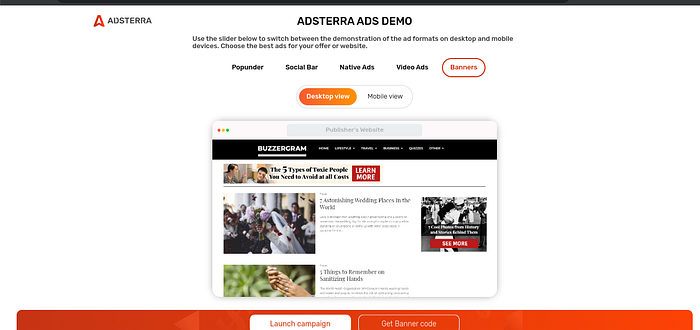
Adsterra is an ad network like Adsense. Adsense is not the only ad network that people use to monetize their blogs, vlog, or websites. But unfortunately, newbies are most often stuck to Adsense because they are not familiar with other opportunities. There are thousands of others ad networks that people use to monetize their websites. Adsterra is one of them. Many new bloggers or writers who are not professionals in website development and those who create their website and blog by themselves without any assistance — think that Adsense is the only way to monetize their blog or website. There is a number of other networks that provide you with a more reliable and convenient way to monetize your blog…

Requirements to start making money from Adsterra
Here are a few things you need to get approved from the Adsterra publishing platform.
- You must have content within your site. Under construction sites, sites with no content are not eligible.
- Your site should NOT have too many ads i.e, sites with 15+ banners and 5+ pops on a single page are not approved.
- Even if you have a non-English blog, you still run Adserra ads.
- Adsterra has no restrictions in terms of traffic volume. They have recently changed their policies about traffic volume and now accept even small websites. Your traffic quality matters for approving your website at Adsterra Network.
Let’s discuss the Adsterra review so you can find what it can offer you as a publisher or advertiser.
4 Benefits of Using Adsterra Ad Network
1. Instant income and High CPM rates
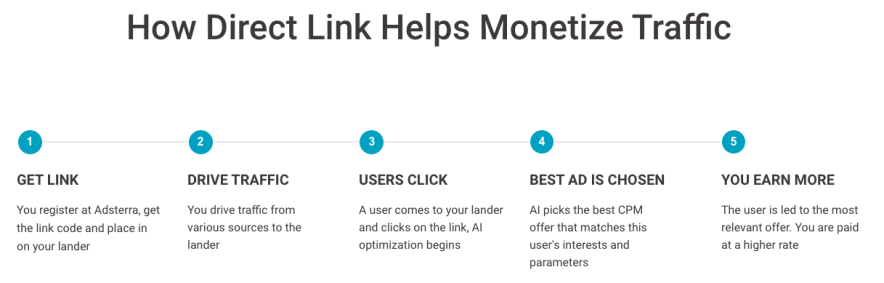
You can monetize any type of traffic: not only Facebook pages but any type of social media. With Smart Direct link, you can monetize any type of traffic.
Adsterra Direct Link (also: Smart Direct Link) is a monetization ad unit for publishers and webmasters. It does not have any visual format, only a URL.
You request this unique URL from Adsterra and then put it anywhere: on your web page, mobile app, or on social traffic.
You just need to place the code on your website, Facebook page, or blog and make money whenever a visitor sees or clicks on the ad. It’s as simple as that.
You can not only earn instant income with the Adsterra network, but you will also get the industry’s highest CPM rates.
Cost per thousand (CPM) denotes the price of 1,000 ad impressions on a webpage. If a website publisher charges $1 CPM, an advertiser must pay $1 for every 1,000 impressions of its ad.
You can monetize every ad impression with 100% fill rates with Adsterra.
Example: If you get 10,000 visitors per day and a total of 20,000 page views, and you get CPM rates of $2, then your earnings can be – 20000/1000 = 20 CPM x $2 = $40 per day.
$40 a day i.e at an average $1200 a month from one single source like Adsterra is NOT a bad income at all. You just need to ensure that you have a high-traffic website or Facebook page to earn more monthly income.
2. Multiple ad formats
In Adsterra,
You get a wide range of ad formats in Adsterra, which include:
Video Ads (VAST) – you can show a short video as an ad that appears before the main content. AdSterra either uses your VAST/VPAID tags or hosts your videos using a WordPress video plugin player like Fluid Player.
Native Ads – Natives are branded content in an editorial format. For example, natives presented in the form of banners with articles from partner sites.
Social Bar – Social Bar ads help publishers achieve the highest CPMs, and advertisers reach 10X to 30X more CTRs (compared to the ordinary Web Push). You get full customization, which means the creatives can take any form, depending on your wishes and objectives.
Social Bar uses dynamic iFrames that don’t block web content. Simple iFrames blankly pop up while other page content remains non-clickable. Dynamic iFrame inside Adsterra creatives allows website users to click on ads, expand and collapse them while navigating the website and absorbing the content.
Here’s how to use Adsterra to set up ads in 3 simple steps.
- Place Adsterra pixel on your site or blog
- Provide your high-converting landing pages and
- Start making profits
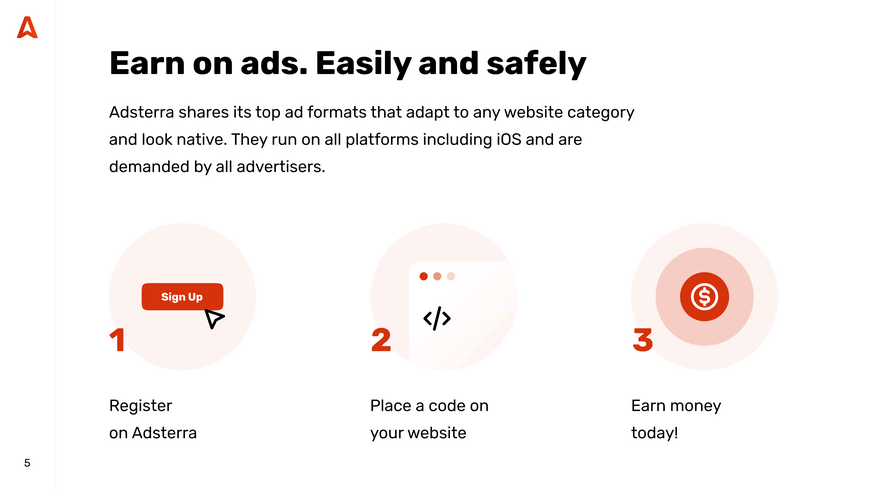
Adsterra also offers the most popular banner sizes: 160*600, 300*250, 728*90, 468*60, 800*440, 320*50.
3. Automated Self-Service Platform (SSP)
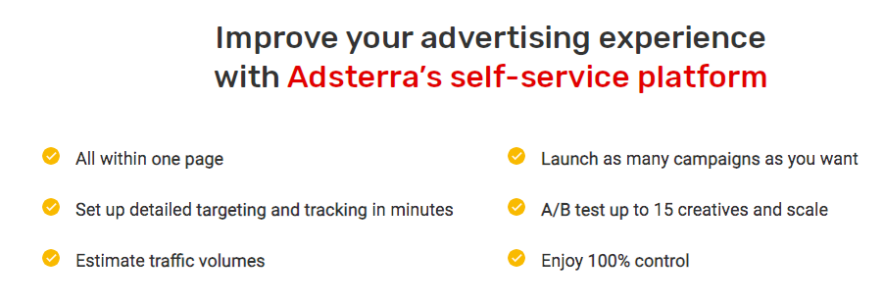
Automated SSP empowers advertisers and publishers by providing a seamless and user-friendly interface that allows them to easily manage their campaigns. This automated system eliminates unnecessary complexities, streamlining the entire process from campaign creation to monitoring performance.
You can initiate, modify, and track your ad campaigns in real time. You get an intuitive dashboard that simplifies navigation, offering a comprehensive overview of key metrics and performance indicators.
Advertisers can effortlessly set up their targeting preferences, budget allocations, and ad creatives, ensuring an effective advertising strategy.
4. High quality advertisers
Adsterra uses retargeting to attract high-quality advertisers to show ads on your blogs, sites, or Facebook pages.
Here’s how retargeting works (designed by the team at Adsterra).
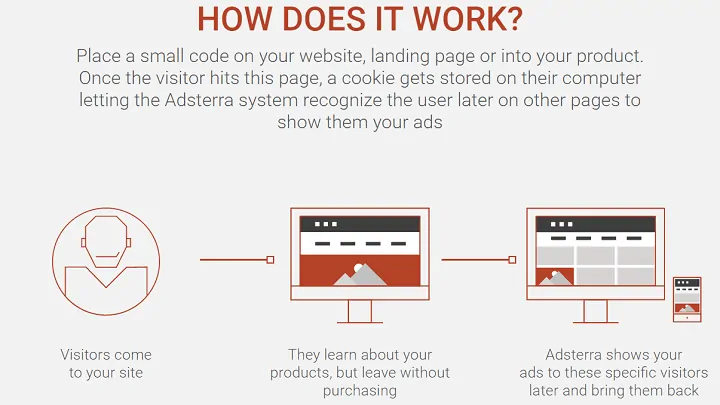
The retargeting feature allows you to earn more money from Adsterra ads, and you will attract highly relevant and quality advertisers to show ads on your sites.
5. Smart AI-Powered Optimization Tool
Adsterra’s AI Optimization tool continuously analyzes vast data sets to identify patterns, trends, and user behaviors. The result is a dynamic and adaptive optimization process that analyzes your website traffic and selects the highest CPM ads suited to your audience.
6. Absolute bliss for advertisers
Adsterra is NOT only limited to publishers but also to advertisers.
As an advertiser, you will get instant access to 15K+ direct publishers with the Adsterra advertising platform. Simply plan, launch, manage, and analyze your advertising campaigns to increase your online exposure.
You can use this link to request a free consultation with Adsterra professionals to discuss your advertising campaigns on a limited budget.
Once you have requested a free consultation with the Adsterra support team, you can make a deposit (The minimum deposit for advertisers is $100) right from your account.
Payment methods for advertisers now include Visa/Mastercard, Paxum, Capitalist, PayPal, Webmoney, and Wire Transfer.
As an advertiser, to get your ads published, you need to start bidding.
Adsterra offers various pricing models: CPM, CPC, CPA, CPI, CPL, RTB, and RevShare.
CPM is considered the most effective ad pricing model. All Advertisers submit their bids to place ads on the Adsterra publishing platform. The impression goes to the highest bidder, and their ad is served on the publisher’s page (i.e., blog, website, or Facebook page).
Adsterra usually offers “exclusive retargeting” with popunder ads for both mobile and desktop users. This method will reach your target audience non-aggressively but very effectively.
You can also use display banners to showcase your ads using the Adsterra ad platform.
Here’s a detailed video that shows you how to run and optimize various campaigns with Adsterra.
How to make account on Adsterra
How to Get Started with Adsterra
Whether you’re a publisher or advertiser, registering with Adsterra is the first step. Let me guide you through the process for both roles.
Register as a Publisher with Adsterra
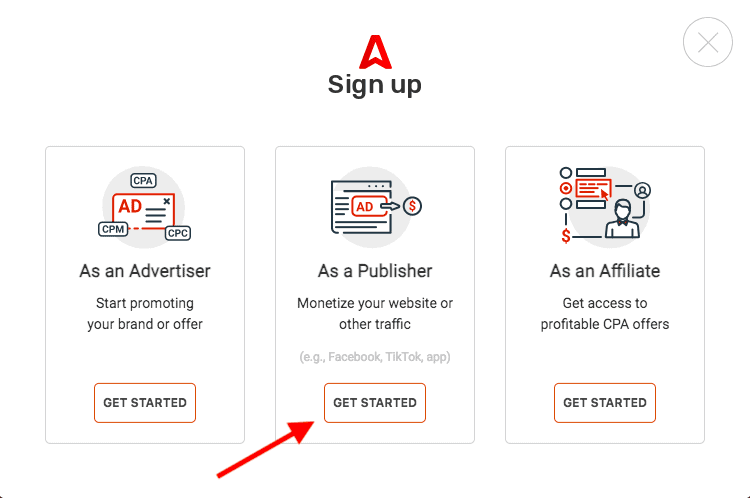
Step 1 – Sign Up as a Publisher
Click on register as a publisher on the Adsterra platform.
Step 2 – Submit the details
Fill in all the required details to complete the process as a publisher.
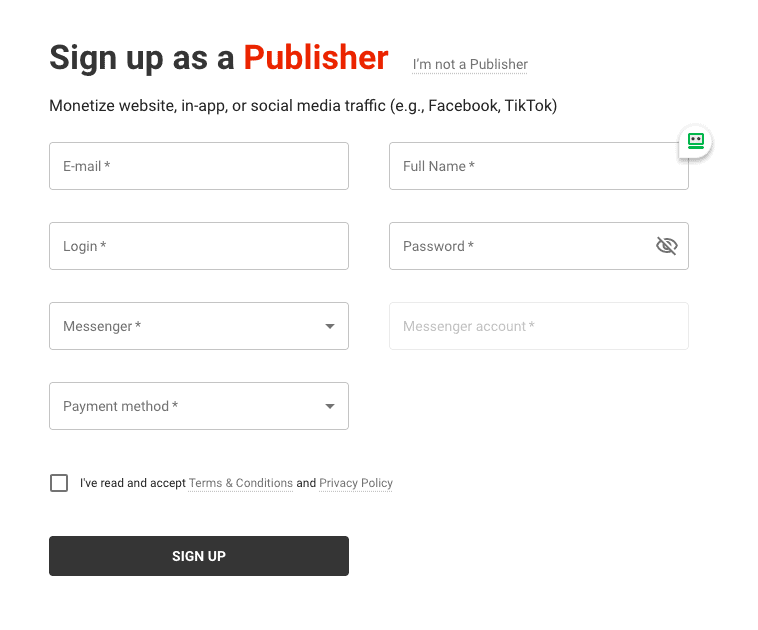
After signing up, Adsterra will send you a confirmation email. Once you confirm your email, you can log in into your account.
Step 3 – Add Your Website
Click on the “Add Website” button to add your first website.
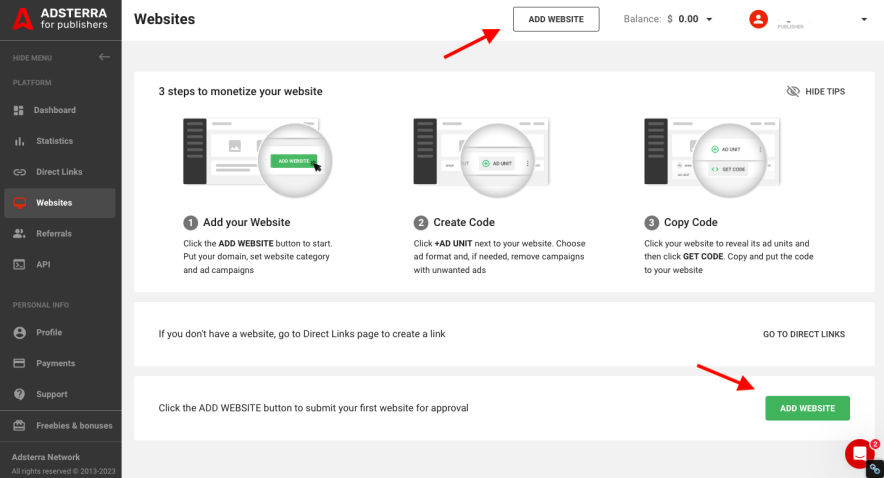
A pop-up will appear. Add your website, select the website category, and choose the ad formats to use on your website.
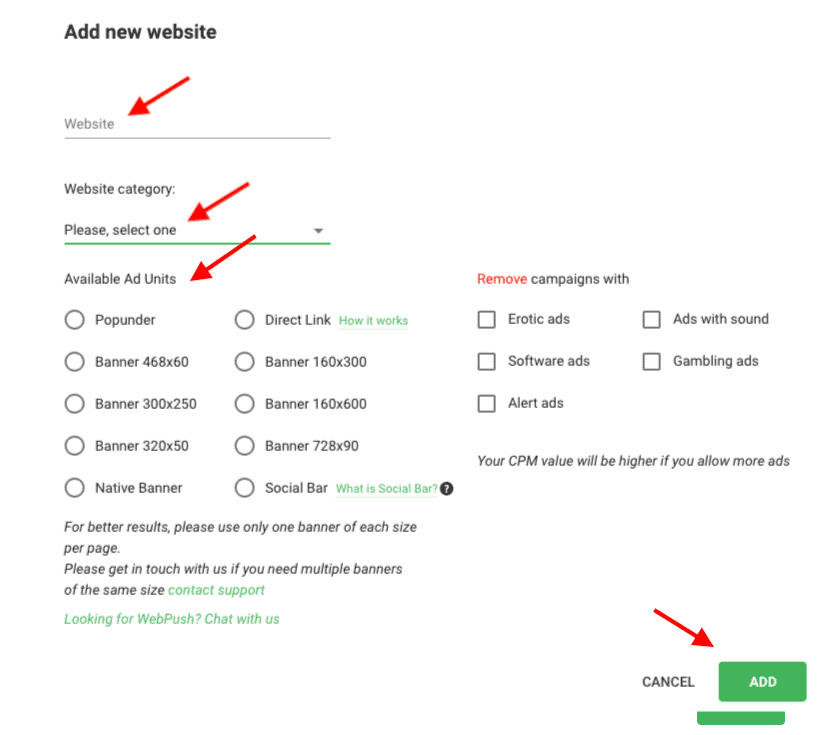
Your website will be sent for approval as you click on the add button.
Step 4 – Getting your website verified
You can check your website status on the website page. The status will change from pending to approved as the verification is completed.


Step 5 – Implement Ad Code
You will receive an email with the code script. You can also get the code script from your publisher’s account.
On the left, you will find the instructions on where to place the code.
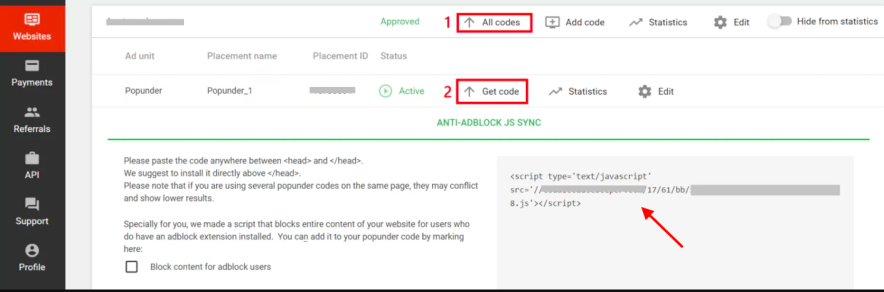
That’s it.
You can follow the same process to add multiple websites.
Register as a Advertiser with Adsterra
Adsterra offers SSP (Self Service Platform) to promote your business, app, or product to reach a wider audience online at a limited budget.
Here’s how it basically works.
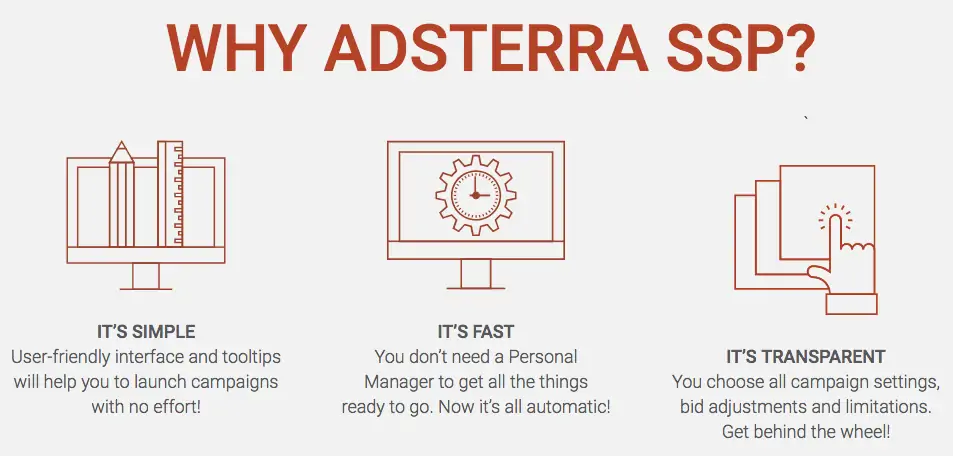
Here are the benefits of SSP:
- You can speed up your ad campaign creation
- You will have 100% control of your ad campaign settings
- You can easily monitor your ad performance at every placement
You can follow these steps to register as an advertiser with Adsterra
Step 1 – Sign Up as an Advertiser
Click on register as an advertiser on the Adsterra platform.

Step 2 – Submit the details
Fill in all the required details to complete the process as an advertiser.
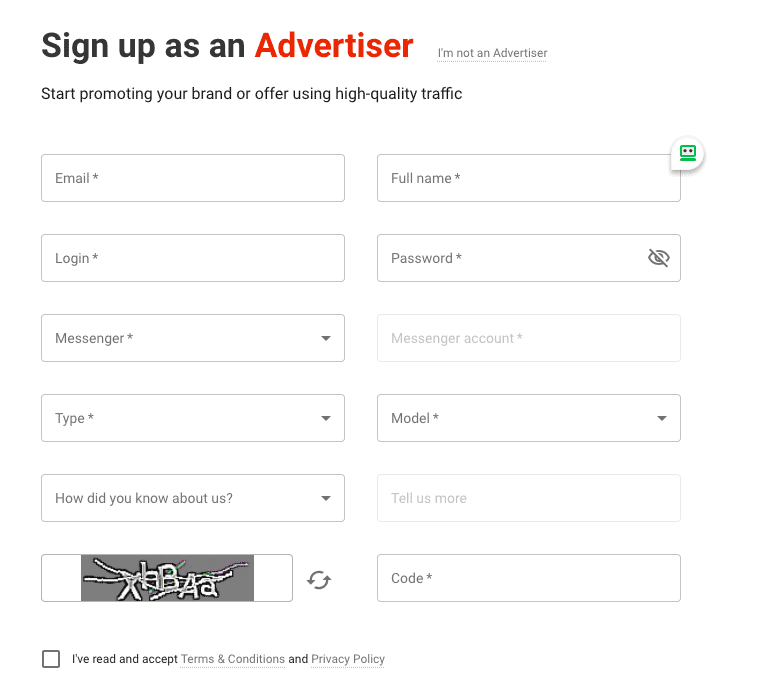
After signing up, Adsterra will send you a confirmation email. Once you confirm your email, you can log in to your account.
Step 4 – Login into your account
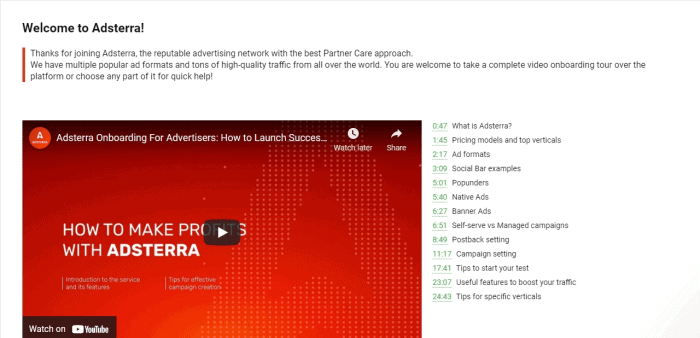
As you log in, you will find an onboarding video. You can use the video to start running your ads.
Step 5- Select a payment method and add funds to your balance.
Step 6 – Create your campaign. You can also get assistance from a manager.
Step 7 – Configure your conversion tracker for optimal performance.




No comments:
Post a Comment